This video will show you how easy it is to advertise your business on yougotagreatdeal.com using the Easy Ad Builder.
You will learn how to register an account, purchase an advertising membership package, and post your first Ad.
Easy Ad Builder Tips
Preparing to build an Ad.
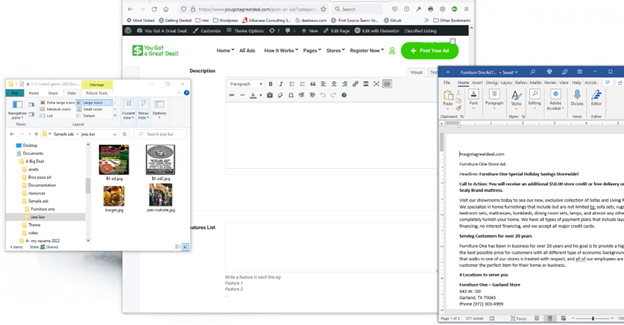
Before you create your Ad in the Easy Ad Builder, prepare everything you want in your advertisement ahead of time, so all you need to do is cut and paste.
Write the content of your Ad using Word or Google Docs, that way you can hash out your idea and wording, then run a spell check. Be sure to use key words in your description because this section is searchable by users who are looking for your product or service.
Have the images sized and ready to go and placed in a folder on your PC or phone. Open your image folder and your Word document, then open the Easy Ad builder.
Cut and paste all the information from the Word Doc into the Ad builder. Upload your images. Post your Ad!
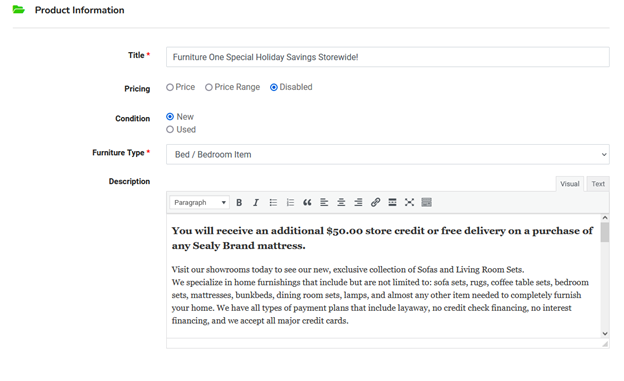
Title: This is the headline of your ad. This area is searchable by users. Pricing: You have the option to set a price for your offer. In this example, we have the pricing option disabled because we have more than one item on sale or are offerring a special value on a group of products.
Description: This is the “Text Editor” where you put the text of your ad. This area is searchable by users looking for a specific product or service, so be sure to include keywords about your offer.
The Text Editor Window
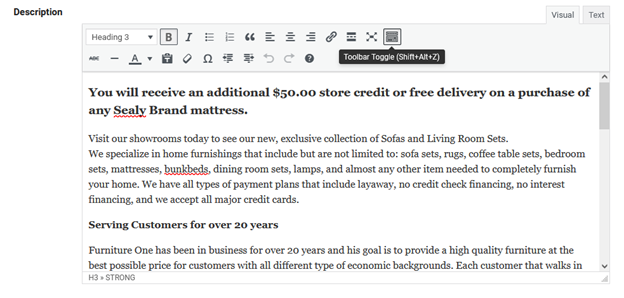
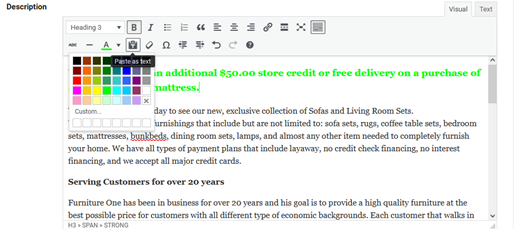
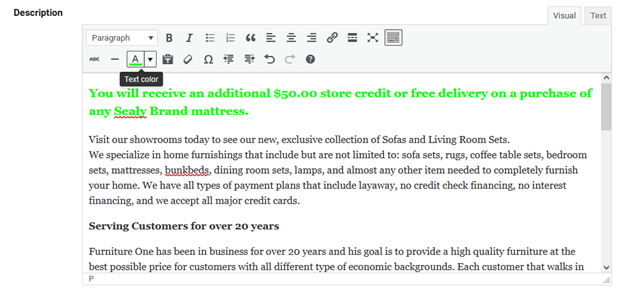
Using the Text Editor, select the Toolbar Toggle icon. This opens up more options to modify the format of your text.
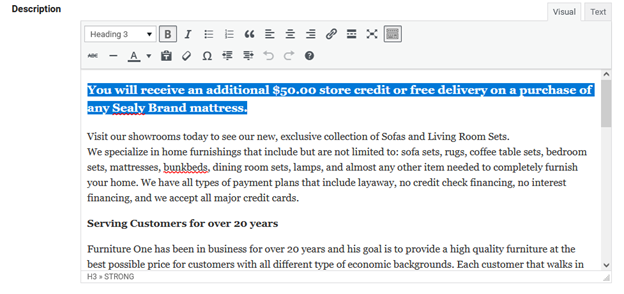
Modify the Text To make the text bold, select a line of text and select the B icon. To make the headline larger and bold, change the heading value using the Heading dropdown arrow ⇓.
Change the Text Color: To change the color of the text, highlight the text you want to modify, and choose the A icon. This will bring up the color options. Select the color you want to change the color of the text.
Business Hours – Quick Settings
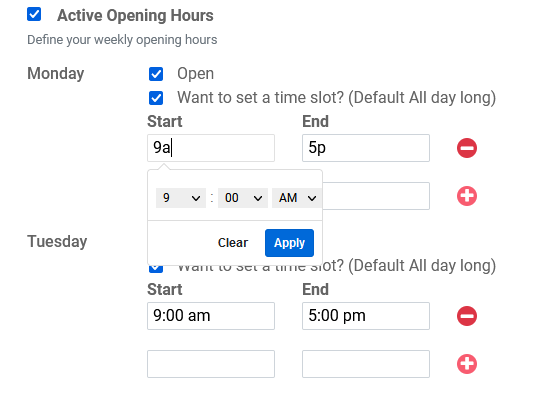
To set your hours of operation quickly in the hours field, type the hours like this 9a for 9:00 AM, and hit Apply. Do the same for the closing hour 5p for 5:00 PM. This will set the time in the proper format quickly so you don’t have to type it all manually.